Getting Started
Use the sample climb that's loaded during the initial install to familiarize yourself with the data Climber's Assistant creates for your climbs. You can save that climb to your phone so you can come back to it later.
Activate Demo Mode in the settings to simulate a climb and familiarize yourself with Climber's Assistant. You can switch between the different pages while in demo mode.

Use  to move up,
  to rest, and
 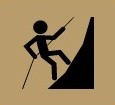 to move down.
Note:
You have to exceed the Distance Threshold before Climber's Assistant changes from resting to climbing or rappelling state.
You have to exceed the Timeout before Climber's Assistant changes from climbing or rappelling to resting state.
Until you have configured the settings to match your climbing style, turn off Alerts, Narration, and Buttons to avoid unnecessary distractions while climbing.
Download Climbers Assistant.pdf